Showing posts with label software. Show all posts

Thursday, January 21, 2010

a new version for sfAdminThemejRollerPlugin 0.2

Finally! We finally managed to catch up and prepare a new version of our Symfony plugin to generate nice admin generator based on jQuery UI Themes.

We tagged this version as 0.2.0 since we still consider this plugin as beta version (but usable on production) but the big news is the support of symfony 1.4! For this specific support I must thank you 2 people that submited 2 patches to make this compatibility possible. Thanks to ( jtexier , "merci Jerome ;-)") and dalexandre and of course I must named jeremyb for his dedication to the project, he did most of the latest development.

I also setup a live demo to allow you to play a little bit with the plugin. It is currently basic but we will add more stuff step by step.

What's new:
  • Theme switcher integrated
  • user interface fixes and enhancements
  • Symfony 1.4 compatibility

You can have some more details on my previous post.

The plugin is available as usual on github, I published as well the packaged plugin on symfony website.

jroller-v0.2-list.png


jroller-v0.2-filter.png


jroller-v0.2-listbottom.png


Screen shot 2010-01-21 at 10.48.44 AM.png

Wednesday, November 11, 2009

SfGuardUser sync with Google Apps

As I am working for a university, we have recently migrate all our staff to use Google Apps for Education and we plan to move all our students and alumni too later this year. Google Apps for Education is really a great tool (and free for us ;-), most of our users are really happy of the switch: it is reliable, fast and have so many collaborative features. Bye bye Outlook :-(, welcome to the Cloud :-)
The Education package is the same as the Business package, including API and a lot of good stuff. The online Google Apps tools to manage users and groups is easy and simple but quickly become too simple to use when you are dealing with thousands of users, you then need to develop your own tool to maximize your daily operation. The "official" PHP5 Google Apps library is GData from the Zend Framework, which make it a breeze to integrate it with Symfony.

a view of an admin generator with Google Apps account management (using sfAdminThemejRollerPlugin):
googleapps-symfonyadmingen-integration.png


We are currently redeveloping our University Management System based on Symfony 1.2 and we plan to integrate most of our applications with symfony too, including a research project on a new social learning platform.

I developed a Symfony task (sf1.2+Doctrine) that take a csv file and create your local sfGuardUser as well as the corresponding Google apps accounts. The Google accounts creation is optional so the task can be used for a normal batch user creation with Symfony alone. A simple:

./symfony guard:batch-create-user your.csv --googleapps=yourdomain.com

...will do the trick for you! I am not sure whether publishing the source code might be interesting for others (the Google API is only available for Premier and Education customers)...let me know. We will eventually publish our University management system as an open source project later for sure.

Here is a list of issues and recommendations while dealing with Google Apps Provisioning API:

  • Google Apps API error reporting: when you have an error while dealing with Google Apps API, errors messages are useless, you always get a 'server errors' message without more details, it is then very difficult to debug your code to find the issue.
  • Don't forget some of the basic Google Apps rules for account creation such as a password with minimum 6 characters otherwise you get back one of those unmeaning-full error message.
  • sfGuard is using sha1 as the default encryption method but it adds a grain of 'salt' on it therefore you cannot send to Google Apps the correct sha1 password. I had to overwrite the default setPassword() and checkPassword() to simply remove the use of the salt and make sure my password synchronization with Google Apps can work. I am not sure if it is a huge security concern though, any idea? Beside this you can also use md5 for your password but you will not be able to use another algorithm since Google Apps is only accepting sha1 and md5.


Monday, November 9, 2009

what's up on sfAdminThemejRollerPlugin?

I finally found some time to add new stuff on the unpronounceable plugin, and thanks to some new contributors more are to come (thanks JeremyB ;-). Here is the list of change:

  • As I mentioned in my previous post, I add a new config field named 'show' for the admin generator. I guess the meaning of this new option is quite obvious, isn't it? It adds the possibility to simply view one object details without editing it. It currently shows the list of fields like it is for the 'edit' view, meaning with a tab interface.
    jroller-list-showbutton.png
  • UI improvements (done by jeremyb): as you can see in the 2 screenshots below there are many improvements such as the new 'reset' button next to the filter button, the sort arrows, new css styles for object actions, new pager view and finally the batch action select box is now also supporting the theme roller


The top part looks like this:
sfAdminThemejRoller-20091109-1.png

  • notice the new 'reset' button next to 'filters'

  • the up and down arrow on the table column names

  • the new css style for the object actions


...and the bottom part (new paginator and the select box is also styled according to your roller theme):
sfAdminThemejRoller-20091109-2.png


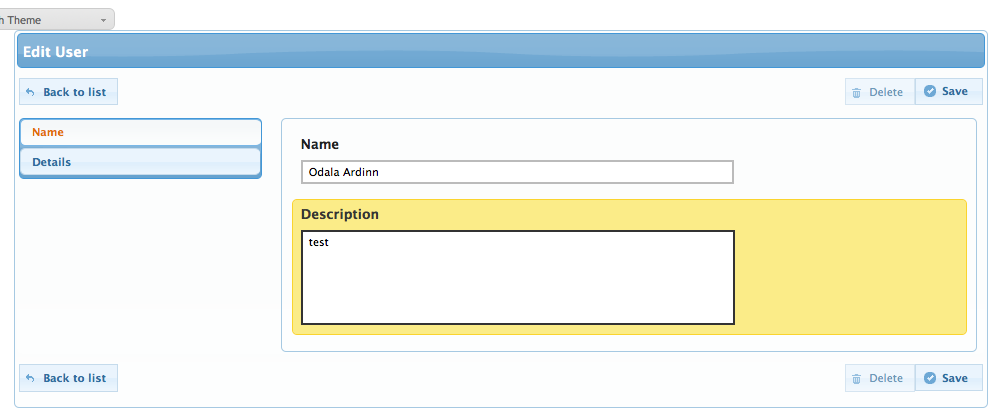
the edit view (buttons are accessible both on top and button of the form, tabs are now vertical):
sfAdminThemejRoller-20091109-3.png


The current code is available in github only. It is not yet ready for a new plugin release, we are still missing some key elements.


Friday, August 14, 2009

Symfony batch and i18n + pdf generation

A few months ago, I wrote a post about i18n in batch and pdf generation. At that time I could not find a way to manage translation in symfony batch (for example when you need to send email to customers, etc...). In Symfony 1.2, batches are depreciated in favor of tasks but my project is still in symfony 1.0 (and I guess the same can be applicable in 1.2). Anyway, I finally found a way to do it:
sfLoader::loadHelpers('I18N');
$I18N = sfContext::getInstance()->getI18N();
$I18N->setMessageSourceDir(SF_ROOT_DIR.DIRECTORY_SEPARATOR.SF_APP.DIRECTORY_SEPARATOR.'i18n', $culture);
echo __('text to translate');

I am not sure if it is the best solution, but it definitively works.

On the pdf side, I was mentioning that in order to generate invoices in pdf, I created some pdf invoice templates with Open Office Draw. Following this step, I was able with Zend_Pdf to generate PDF files on the fly based on my templates. The big problem with this solution is that you have to positionned all your text at the pixel and cannot manage things like multiple lines text and so on. You end up writing a lot of stupid code and anything you want to modify you have to try again and make sure it works (and when you manage several languages it can even be more complex). Anyway I managed to do it like this for the billing system used in East-Timor but I always wanted another solution. I did find some promising project but nothing yet reach a usable state to my knowledge. However, I found to interesting projects:

  • odtPHP: it is not as such a pdf generator but it looks fantastic to generate open documents easily with a templating system. It is great and I am sure I will use it soon. Once you have an open document, it is a piece of cake for anybody to save it as pdf...even my grandma could do this ;-)

  • Podr: it's a kind of open office server to generate document on the server, including pdf. However it seems only working on windows and quite heavy installation, I am not sure if it is a good solution. Anyone using it?


odtPHP looks like a clean and nice php class and it should be easy to integrate in symfony. On the client side, if you do not have open office (or any odt compatible solution) you can simply install a plugin for Microsoft Office to support open document formats (it seems it is even native support in Office 2007 service pack 2): http://www.sun.com/software/star/odf_plugin/ or http://sourceforge.net/projects/odf-converter/.

Wednesday, August 12, 2009

A Mac tool for MySQL: Sequel Pro 0.9.6

In the past month or so I have been using SequelPro (http://sequelpro.com/) for my local MySQL usage. At that time it was version 0.9.5 and it was quite interesting for local usage, however it was still missing quite a bit of information compare to a tool like phpMyAdmin and one big limitation (at least for me) was the connection type used: only on the MySQL port. There was no way yet to establish a SSH connection to connect to remote databases. Most of the time a goog MySQL server should not accept external connection, therefore a ssh tunnel is the only solution for such cases when you want to use desktop app.

Fear not anymore! Version 0.9.6 has been released and I must admit it is a huge improvement regardless of the limited increment on the version number. It has ssh support and much much more. I can now connect to all my databases servers around the world easily through only one interface. On top of the ssh connection they add support for foreign key, add new view such as 'Relations' and 'Table info' and history of your actions. This is certainly now the tool I am going to use, even more than phpMyAdmin.

sequelpro096.png

Saturday, November 15, 2008

Firefox 3 rocks

No, it's not new! But I realized not long ago that I do not use anymore Safari on my Mac. The integration with MacOS is now really good, not petfect though: I am still missing integration with Keychain (Mac password manager). I wish also a simple way to sync bookmarks between Safari and Firefox since we will not get Firefox on iphone any time soon.
The 2 most useful new features for me as a user are:
- The new "awesome bar", it changes the way I search my bookmarks and history
- Tags on bookmarks: I don't organize my bookmarks into folders, I just mark them with relevant tags, it's much more convenient.
And more is to come on the upcoming 3.1...

-- Post From My iPhone

Wednesday, October 29, 2008

CAIR and Seam Carving GUI

I discovered this app "Seam Carving GUI" - what a name! This is an open source, all platforms software to manipulate your photos based on the CAIR library (CAIR stands for Content Aware Image Resizing). This is simply amazing stuff! You can resize images (stretched,...) and remove elements of your photo (you know, the guy in the background of your beautiful photo).

From this:
To this (remove small fish and stretched):


This is the kind of app that can really change a photo from good to best.