Saturday, December 21, 2013
back to e-life...for how long?
I have finally decided to start again publishing online, at least a bit. You will find my new post at http://www.estadieu.com/blog

Friday, June 18, 2010
Symfony Form widgets for many-to-many relationship: a new widget implementation - part II
Following part I, here is the final step to code a new symfony form widget in order to improve a many-to-many relationship. After discussing the best UI possible for a many-to-many relationship, we are now going to look how to code it as a symfony widget. I would not pretend it is the best solution, but I believe it is clean enough to be used and it definitively works!
One of the comment point me to the following approach: http://www.ryancramer.com/journal/entries/select_multiple/. It is also an elegant way to do it, unfortunately it does not work for me since my list of available object is extremely long, therefore a select is again not a good approach. Don't get me wrong, my approach is not necessarily the best but it fits a specific user case.
Before starting you can have a look at a demo of what we will get at the end. Here is a video to show the different interactions.
Pre-requisite:
- symfony 1.3/1.4
- jQuery 1.4+ and jQuery UI 1.8+. This might seems overkilling for a simple widget but most of the time you are using these 2 libraries in your project already. In jQuery UI you specifically need for this widget the new autocomplete widget.
Ok, no more talk, let's go to the code! You can find it as a gist at http://gist.github.com/443124. Feel free to clone, improve and share! This code need some refactoring for sure but I did not have time yet and many people where asking for it. Feel free to improve it and share it ;-)
Stay tuned, we will publish some new widgets in the coming months...
Thursday, March 18, 2010
Symfony Form widget for many-to-many relationship: UI considerations - part I
This 2 parts tutorial will show you how we came up with a new symfony sfForm widget to handle many-to-many relationships. In our specific case, existing widgets for such relationships were found extremely unuser-friendly to say the least, we had to think about a new widget to help our users in their daily operation.
We do not pretend that our solution is the best in all user-cases but it is definitively a better approach when you have a lot of potential items to associate with your current object and a short list of associated items; the relationship between a classroom and students for example: you have a class of students (the class is less than 40 students usually) within a University of thousands of students.
The default widget
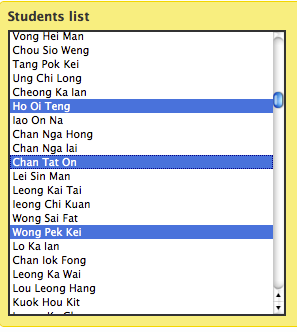
I have always been very skeptical with the default widget in symfony form framework for many-to-many relationship. In a UI perspective it was really bad:- You have to "shift-click" in a multiple select box the item you want to add to your relation,
- if you have a long list, it is very inconvenient to find the one you want,
- if by mistake you click without the shift button pressed, you are good to start over your multiple selection
I guess you can see the picture ;-) Talking about the picture, here is one to show you what I am talking about.
The double list widget
When you start to look around for a better replacement, you obviously find the plugin sfFormExtraPlugin which includes the widget called sfWidgetFormSelectDoubleList and you get something like this:
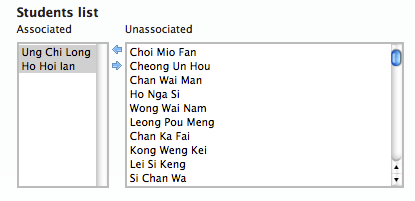
This is already a big improvement but still has some huge limitation when you are dealing with big lists (I am thinking here stuff like list of students in a University). You do not want to have a select box with thousands of options: 1) it is going to slow down your page and 2) it is not easy to search inside.
A double list enhancement
The first "natural" step could be to improve an existing widget. In our case, the best is so far the double list widget mentioned earlier. An easy way to improve it could be to add a search box on top of the unassociated select in order to easily narrow down the list and find what we are looking for. We could even imagine a similar search box on top of the associated list to add a little bit more flexibility too. Anyway, here is a mockup that explains all this:
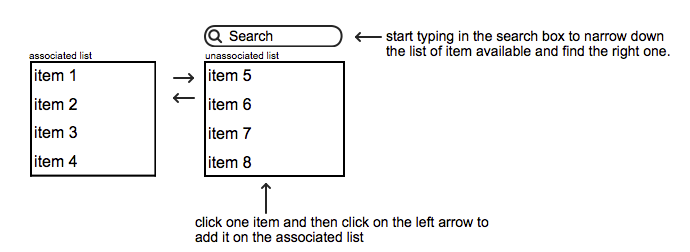
This could be already a huge improvement, although I can see still some limitations, namely: 1) you still load a huge list of unassociated items, 2) when you start filtering with your search, you need to select the desired item and then click on the left arrow, this is a bit too much interaction.
Anyway such a widget would be a huge improvement already and could be used in many cases, but let's not stop here...
Thinking forward
We came up with a mockup that suits our needs. I acknowledge that it cannot fit all needs, it is good to list a short list of relations -usually list of student in a class is under 40 and add new students among a huge list.
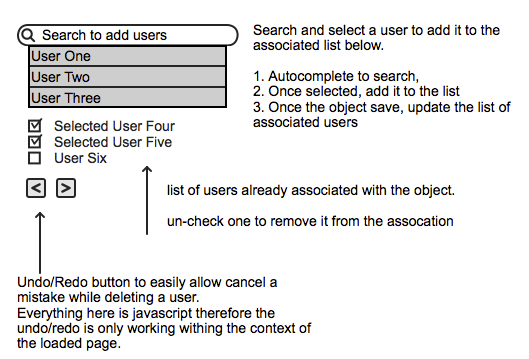
You basically search in an autocomplete box (ajaxified) to find the item you want to add, click the right one in the list and it is added to your checked list below. The all list is saved once you save the current form object. If you uncheck one item it will be removed from the list (with some delay to allow you to change your mind in case of a mistake). Finally we could add a local undo/redo function in case of mistake.
In terms of interaction, you type in your searched word, select from the list (click or enter) and you are ready to add another. I believe it can help a lot end users.
This symfony widget does not exist as far as I know therefore next part of this tutorial will focus on the code to make it a reality.
Conclusion
The first thing I'd like to claim: "multiple select" is BAD! At least I could not find a user-case where it could be a good solution, therefore avoid it as much as you can.
Thursday, January 21, 2010
a new version for sfAdminThemejRollerPlugin 0.2
Finally! We finally managed to catch up and prepare a new version of our Symfony plugin to generate nice admin generator based on jQuery UI Themes.
We tagged this version as 0.2.0 since we still consider this plugin as beta version (but usable on production) but the big news is the support of symfony 1.4! For this specific support I must thank you 2 people that submited 2 patches to make this compatibility possible. Thanks to ( jtexier , "merci Jerome ;-)") and dalexandre and of course I must named jeremyb for his dedication to the project, he did most of the latest development.
I also setup a live demo to allow you to play a little bit with the plugin. It is currently basic but we will add more stuff step by step.
What's new:
You can have some more details on my previous post.
The plugin is available as usual on github, I published as well the packaged plugin on symfony website.
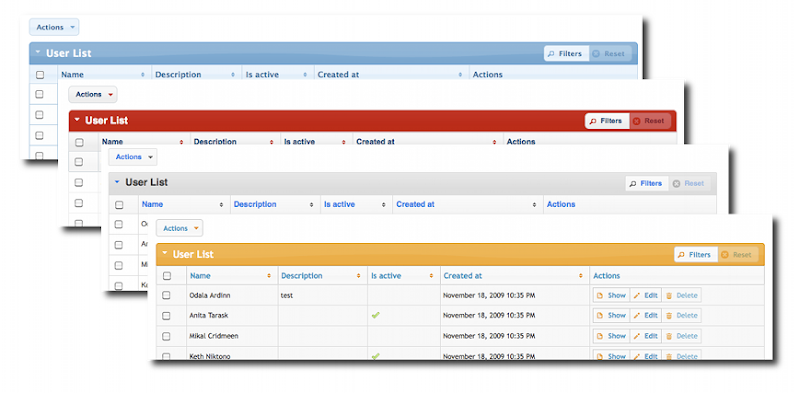
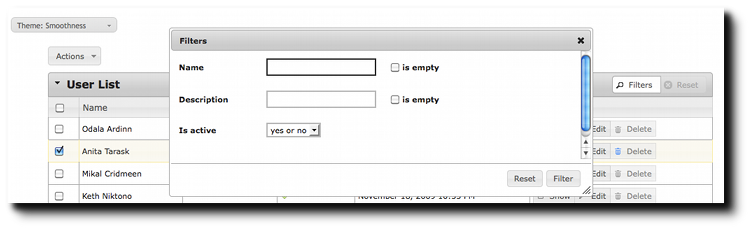
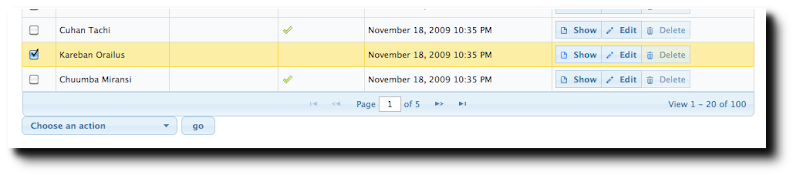
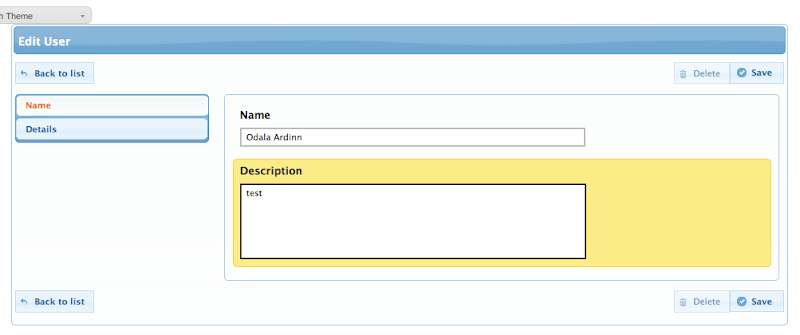
We tagged this version as 0.2.0 since we still consider this plugin as beta version (but usable on production) but the big news is the support of symfony 1.4! For this specific support I must thank you 2 people that submited 2 patches to make this compatibility possible. Thanks to ( jtexier , "merci Jerome ;-)") and dalexandre and of course I must named jeremyb for his dedication to the project, he did most of the latest development.
I also setup a live demo to allow you to play a little bit with the plugin. It is currently basic but we will add more stuff step by step.
What's new:
- Theme switcher integrated
- user interface fixes and enhancements
- Symfony 1.4 compatibility
You can have some more details on my previous post.
The plugin is available as usual on github, I published as well the packaged plugin on symfony website.
Saturday, December 12, 2009
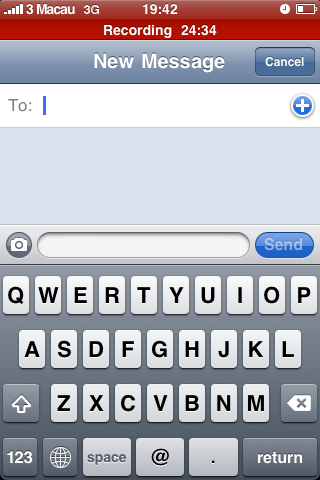
Multitask in iPhone
Please Mr. Apple, stop looking at us like dummies. Why multi-tasking is allowed for Apple products but not for others?
Tuesday, December 8, 2009

Wednesday, November 11, 2009
SfGuardUser sync with Google Apps
As I am working for a university, we have recently migrate all our staff to use Google Apps for Education and we plan to move all our students and alumni too later this year. Google Apps for Education is really a great tool (and free for us ;-), most of our users are really happy of the switch: it is reliable, fast and have so many collaborative features. Bye bye Outlook :-(, welcome to the Cloud :-)
The Education package is the same as the Business package, including API and a lot of good stuff. The online Google Apps tools to manage users and groups is easy and simple but quickly become too simple to use when you are dealing with thousands of users, you then need to develop your own tool to maximize your daily operation. The "official" PHP5 Google Apps library is GData from the Zend Framework, which make it a breeze to integrate it with Symfony.
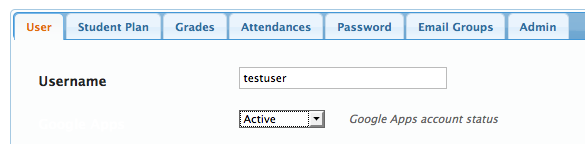
a view of an admin generator with Google Apps account management (using sfAdminThemejRollerPlugin):
We are currently redeveloping our University Management System based on Symfony 1.2 and we plan to integrate most of our applications with symfony too, including a research project on a new social learning platform.
I developed a Symfony task (sf1.2+Doctrine) that take a csv file and create your local sfGuardUser as well as the corresponding Google apps accounts. The Google accounts creation is optional so the task can be used for a normal batch user creation with Symfony alone. A simple:
...will do the trick for you! I am not sure whether publishing the source code might be interesting for others (the Google API is only available for Premier and Education customers)...let me know. We will eventually publish our University management system as an open source project later for sure.
Here is a list of issues and recommendations while dealing with Google Apps Provisioning API:
The Education package is the same as the Business package, including API and a lot of good stuff. The online Google Apps tools to manage users and groups is easy and simple but quickly become too simple to use when you are dealing with thousands of users, you then need to develop your own tool to maximize your daily operation. The "official" PHP5 Google Apps library is GData from the Zend Framework, which make it a breeze to integrate it with Symfony.
a view of an admin generator with Google Apps account management (using sfAdminThemejRollerPlugin):
We are currently redeveloping our University Management System based on Symfony 1.2 and we plan to integrate most of our applications with symfony too, including a research project on a new social learning platform.
I developed a Symfony task (sf1.2+Doctrine) that take a csv file and create your local sfGuardUser as well as the corresponding Google apps accounts. The Google accounts creation is optional so the task can be used for a normal batch user creation with Symfony alone. A simple:
./symfony guard:batch-create-user your.csv --googleapps=yourdomain.com
...will do the trick for you! I am not sure whether publishing the source code might be interesting for others (the Google API is only available for Premier and Education customers)...let me know. We will eventually publish our University management system as an open source project later for sure.
Here is a list of issues and recommendations while dealing with Google Apps Provisioning API:
- Google Apps API error reporting: when you have an error while dealing with Google Apps API, errors messages are useless, you always get a 'server errors' message without more details, it is then very difficult to debug your code to find the issue.
- Don't forget some of the basic Google Apps rules for account creation such as a password with minimum 6 characters otherwise you get back one of those unmeaning-full error message.
- sfGuard is using sha1 as the default encryption method but it adds a grain of 'salt' on it therefore you cannot send to Google Apps the correct sha1 password. I had to overwrite the default setPassword() and checkPassword() to simply remove the use of the salt and make sure my password synchronization with Google Apps can work. I am not sure if it is a huge security concern though, any idea? Beside this you can also use md5 for your password but you will not be able to use another algorithm since Google Apps is only accepting sha1 and md5.
Subscribe to:
Posts (Atom)